Background images in email: what works in Outlook, Gmail and Apple Mail
How to use background images safely in HTML email, with a VML fallback for Outlook and a solid colour fallback elsewhere.

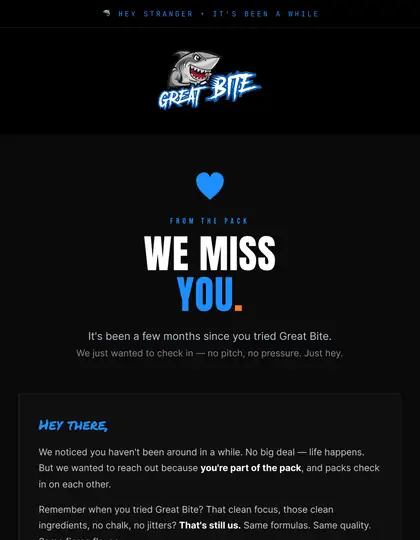
Background images work in most modern clients but not in classic Outlook without VML. Always set a solid background colour as fallback, keep text live and readable on top, and test with images blocked.
Where support is good and bad
Apple Mail and many mobile clients handle CSS background images well. Classic Outlook needs a VML fill, and some clients block or strip backgrounds. Treat the image as an enhancement, never the only carrier of meaning.
The safe pattern
- Set
bgcolorand CSSbackground-colorto a colour close to the image. - Add the image via CSS
backgroundfor modern clients. - Add a
v:rectwith av:fillinside a conditional comment for Outlook. - Keep text above the image as real HTML.
Contrast and legibility
Text on top of photography needs a dark overlay or a safe area so it stays readable at any crop. Check contrast against the fallback colour, because that is what some readers will see.
Mobile cropping
Backgrounds scale and crop differently on narrow screens. Position the focal point deliberately and test at phone widths; see mobile-first design.
How EmailDesign helps
This is what our hand-coded builds handle for you: table-based HTML, Outlook fixes, dark mode and tests across 60+ clients before anything is sent. See HTML email development, or pricing for fixed quotes from £95 per email.





Can I use a background video?
No, not reliably. Use a static or animated image fallback.
Why does my hero image disappear in Outlook?
Classic Outlook ignores CSS backgrounds; add the VML fill.
Do background images hurt deliverability?
Not by themselves, but image-heavy, text-light emails can look spammy. Keep real text.
Should the CTA sit on the image?
Keep it as live text and a solid button so it works when images are off.
Can you build this for us?
Yes. EmailDesign designs and hand-codes emails for UK brands from £95 per email, tested across 60+ clients and set live in your platform.
Ready when you are.
Tell us what you're sending and where — fixed quote within one working day.