GIFs in email: when they help, how to build them, and Outlook fallbacks
How to use animated GIFs in email without hurting file size or Outlook rendering: frame one design, weight limits and accessibility.

Animated GIFs work in most clients, but classic Outlook for Windows shows only the first frame. Design frame one to carry the full message, keep file size low and avoid flashing content.
Where GIFs earn their place
Good uses include revealing a product range, showing a colour change, or drawing the eye to a countdown or CTA. Poor uses are decorative loops that add weight and distract from the click.
Design frame one first
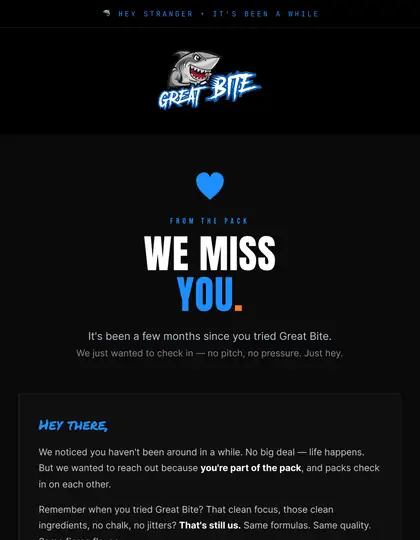
Because classic Outlook shows the first frame only, that frame must stand alone: headline, offer and key product visible. Animate additions after, not essentials.
Keep it light
- Limit frames, colours and dimensions.
- Export at display size, plus a modest retina factor if needed.
- Use a still image if the animation does not add information.
Heavy GIFs slow loading on mobile data; see retina images.
Accessibility
Avoid rapid flashing, which can be harmful for some readers. Provide meaningful alt text and make sure the content is understandable without motion. Our accessibility guide covers the wider checklist.
Alternatives
For interaction beyond a loop, consider interactive email techniques with sensible fallbacks.
How EmailDesign helps
This is what our hand-coded builds handle for you: table-based HTML, Outlook fixes, dark mode and tests across 60+ clients before anything is sent. See HTML email development, or pricing for fixed quotes from £95 per email.





Do GIFs work in Gmail?
Yes, animated GIFs generally play in Gmail.
Why is my GIF static in Outlook?
Classic Outlook for Windows displays only the first frame.
How big can a GIF be?
Keep it small enough to load quickly on mobile; there is no fixed rule, so test.
Can I countdown-timer GIF?
Yes, but timers rely on a service generating the image at open time; check privacy and reliability.
Can you build this for us?
Yes. EmailDesign designs and hand-codes emails for UK brands from £95 per email, tested across 60+ clients and set live in your platform.
Ready when you are.
Tell us what you're sending and where — fixed quote within one working day.